


Emoji Battery & Shimeji Pet review
 Analysis by GetAllApps
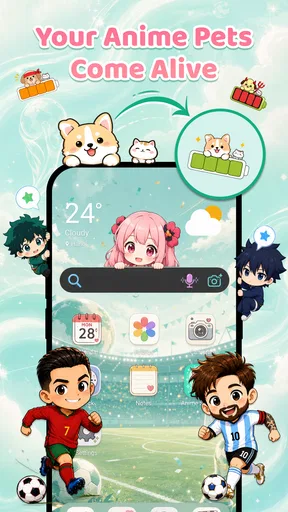
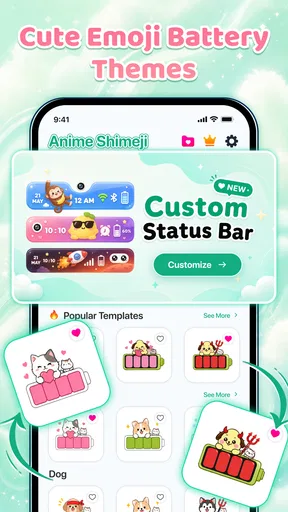
I like phone customisation most when it changes something I see throughout the day without making the device harder to use. Emoji Battery & Shimeji Pet takes that idea in a small, visible direction: it focuses on the battery icon, letting it become a personalised detail rather than a plain indicator. The app also presents itself as a home for screen pets, but the most concrete appeal is the chance to give the battery display a more playful look.
That focus makes this a particular kind of personalisation app. It is not a launcher overhaul or a tool for reorganising an entire home screen. Instead, it aims to add charm to a familiar status symbol. I would recommend it to someone who enjoys themed icons and emoji but wants a relatively lightweight way to make a phone feel more individual. If you prefer a restrained interface or want deeper control over the whole device, its narrow focus may feel limiting.
Turning a routine battery check into a personal detail
The battery icon is easy to overlook because it is always there, doing a practical job. Customising it changes the mood of that small interaction: checking remaining power can feel less utilitarian when the indicator reflects a style you chose. That is the idea I find most appealing here. It does not promise to improve battery life; its value is visual and personal.
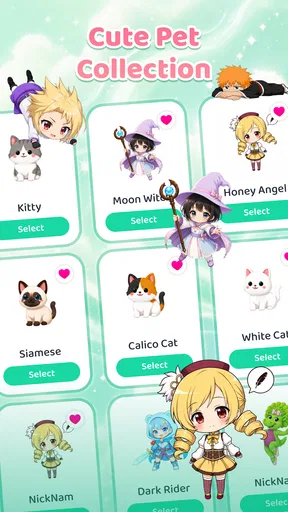
The app’s name joins two playful ideas, Emoji Battery and Shimeji Pet. The store summary describes an adorable phone with a screen pet and a custom emoji battery icon, while the short description calls the product Emoji Battery. I would set expectations around customisation rather than assume the pet element offers a deep companion system. The distinctive proposition is making battery presentation feel more expressive.
Emoji Battery & Shimeji Pet is a free app from Tools for Everyday - AI Tasks, with optional in-app purchases priced from $2.99 to $19.99 per item. Its average rating is 4.2 from 67,000 ratings, and it has more than a million installs. Those figures suggest that the concept has found an audience, though they cannot tell me whether every person will like the available visual style or how well it fits a particular phone.
What this kind of customisation changes
A themed battery display works best as a finishing touch. It can make a phone feel more cohesive when paired with a matching wallpaper or emoji-heavy theme, but it will not replace the broader controls offered by launchers and icon packs. Those alternatives can change multiple parts of the interface; this app’s appeal is more focused and immediate.
That narrower scope is also a useful trade-off. You do not need to redesign your entire home screen just to add a playful accent. On the other hand, if your goal is a consistent visual system across app icons, widgets, and menus, a dedicated launcher or system theme may be a better starting point. I see this app as a small finishing layer, not a full makeover.
Making a good choice before settling on a look
When choosing a battery style, I would think about readability before novelty. The indicator still needs to communicate a practical status at a glance. A colourful or busy treatment may look fun in a preview but become less useful if the remaining charge is harder to recognise. My tip is to judge the design in the context of your normal screen, not only as an isolated decoration.
It is also worth considering how often you actually notice the status area. If you check your battery frequently, a custom icon can be a pleasing daily detail. If you rarely look there, the novelty may wear off quickly. That is a more useful test than choosing a design simply because it looks striking for a moment.
How it fits into an ordinary day
Imagine checking your phone before leaving home, then glancing at the battery while waiting for a bus or between errands. A customised icon can make those repeated checks feel a little less generic without asking you to open a separate app each time. This is the app’s strongest everyday use case: a small visual reward attached to an action you already perform.
For a practical workflow, I would first pick a style that remains easy to read, then use it for a few ordinary days rather than changing designs every few minutes. That gives the decoration time to become part of the phone’s look and makes it easier to decide whether it genuinely suits you. Frequent switching can be entertaining, but it can also turn a simple customisation into a short-lived novelty hunt.
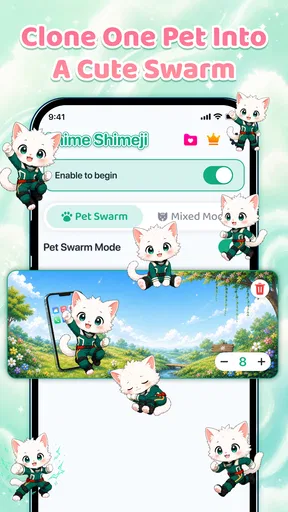
The screen-pet idea may appeal to people who like animated or characterful phone decoration, especially if they already enjoy shimeji-style companions. Still, I would separate that expectation from the battery feature when deciding whether to install the app. A person who mainly wants a dependable, legible battery indicator may prefer the default system display, while someone who wants personality in the interface may be more willing to experiment.
Where it sits beside other personalisation tools
Compared with a standard battery indicator, this app offers a more playful visual direction. Compared with a launcher, it is much less about changing how the phone is organised. And compared with a wallpaper app, its defining interest is not a large background image but a compact detail in the everyday interface. That makes it easier to justify as a small experiment, though not as a substitute for broad customisation.
I would also keep expectations modest about what visual personalisation can accomplish. A custom emoji does not make charging faster or extend battery life. If your concern is power management, use the phone’s battery settings and built-in tools; choose this app for appearance. Knowing that distinction helps avoid disappointment and makes the app’s purpose clearer.
Small trade-offs worth weighing
There is an inherent tension between decoration and clarity. A design that feels cute may be less suitable for someone who depends on quick, unambiguous status information. I would favour a simple, high-contrast look over a complicated one if the phone is used outdoors or checked in a hurry. The best-looking option is not necessarily the most practical one.
Another consideration is the purchase model. The app is free to start, but in-app items range from $2.99 to $19.99. I would explore the free experience first and decide whether the customisation is something I will keep using before spending anything. That is especially sensible for a focused personalisation app, where the value depends heavily on whether its style clicks with you.
The app is rated Everyone, so its listed content suitability is broad. It is also listed for devices running Android 8.0 or later, and its current version is 1.0.7. It was released on June 17, 2026. Those details are useful when checking basic compatibility, but the real decision is still whether a playful battery treatment fits your habits and taste.
Who is most likely to enjoy it
I think Emoji Battery & Shimeji Pet suits people who like personal touches but do not want to rebuild their phone’s interface. It is a sensible pick for emoji fans, casual customisers, and anyone who enjoys adding small visual details to a device they use all day. It may also work as a low-commitment first step for someone curious about phone theming but not ready to install a launcher.
I would skip it if you want comprehensive home-screen control, prioritise an unmodified interface, or care only about battery monitoring. In those cases, the built-in indicator or a broader customisation tool is likely to be a better match. Likewise, if decorative status icons distract you, there is little reason to trade a clean, familiar display for novelty.
My overall take is that this app has a clear, modest purpose: it turns a routine battery check into an opportunity for personal expression. The appeal is not technical depth but the chance to make a familiar part of the phone feel more like yours. I would try it free, choose a design for readability as well as charm, and keep it only if that small change continues to make me smile after the novelty settles.
Pros and cons
Pros
- Adds playful character animations to the battery display.
- Offers a more personalized look for the device.
- Shimeji pets can make routine battery checks more entertaining.
- Emoji designs provide a lighthearted visual touch.
- The concept is easy to understand at a glance.
Cons
- Animated characters may distract from a clean home screen.
- Battery details may be less prominent than the decoration.
- Some users may find the pet animations repetitive.
- Personalization options may not suit every visual style.
- Extra animations can use device resources.


